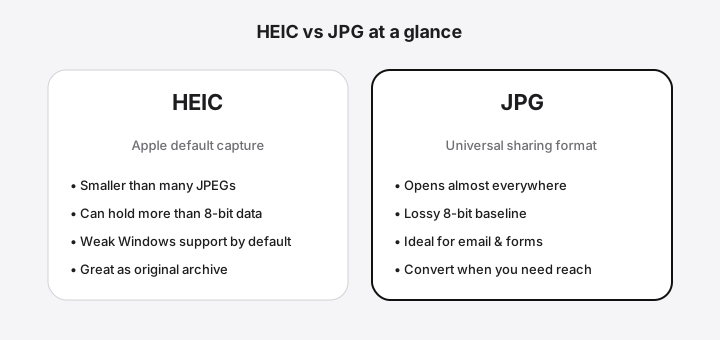
Quick comparison table
| Topic | HEIC | JPG |
|---|
| Typical source | iPhone / modern capture | Universal export & web |
| File size | Often smaller at similar look | Larger at high quality settings |
| Compatibility | Mixed (weak default on many Windows PCs) | Nearly universal |
| Quality model | Efficient modern compression; may include higher bit depth | Lossy 8-bit baseline (common) |
| Transparency | Possible in some HEIF uses | No alpha in standard JPG |
| HDR | Some captures store wider range | SDR display target after convert |
| Metadata | Rich EXIF/XMP common | EXIF common; browser converts may strip |
| Best for | Originals on Apple devices | Email, Windows, forms, print labs |
Quality and file size
HEIC (HEIF with HEVC) was designed to store more visual information per byte than older JPEG defaults. That does not mean JPG looks bad—it means a careful JPG export is slightly larger for a similar appearance. When you convert HEIC to JPG, choose quality intentionally: default 92 is a strong balance; drop lower for email; push higher when the file will be printed.
Compatibility wins for JPG
Compatibility is why most people search “HEIC to JPG.” Windows without codecs, older Android apps, school portals, insurance forms, and many CMSs still expect JPEG. If the recipient must open the file without help, JPG is the safer delivery format.
HDR, depth, and Live Photo containers
Some HEIC files carry HDR gain maps, depth data, or multi-image sequences. Standard JPG is a single 8-bit raster. Conversion may keep the primary image and flatten advanced layers. Always preview critical shots after convert.
Metadata reality check
Both formats can store EXIF such as capture time and camera model. Browser-based conversion paths often rebuild pixels through a canvas and may not preserve every field. If dates are critical, keep the HEIC master and verify metadata with a dedicated tool.
When to convert with heictojpg.im
Use the free HEIC to JPG converter when you need private, local conversion and optional batch ZIP output. On Windows specifically, see HEIC to JPG on Windows 11.
Convert HEIC to JPG
FAQ
Which is better, HEIC or JPG?
Neither is universally better. HEIC is often smaller for similar visual quality and is common on iPhones; JPG is more compatible across devices and software.
Does HEIC look better than JPG?
At the same bit budget HEIC can look cleaner, but a high-quality JPG of the same photo is usually excellent for sharing. Differences are subtle on phone screens.
Why do iPhones use HEIC?
Apple adopted HEIF/HEIC to save storage and support modern imaging features while keeping photos sharp. Many users only notice when a Windows PC cannot open the file.
Should I convert HEIC to JPG permanently?
Convert copies for sharing and keep HEIC originals when storage allows—especially if you care about future edits or archival fidelity.
Is JPG the same as JPEG?
Yes in everyday use. JPG and JPEG refer to the same image format family; file extensions may be .jpg or .jpeg.
Can JPG hold transparency or HDR like some HEIC files?
Standard JPG does not support alpha transparency and is typically 8-bit SDR. Converting HDR HEIC to JPG tone-maps into a standard range.