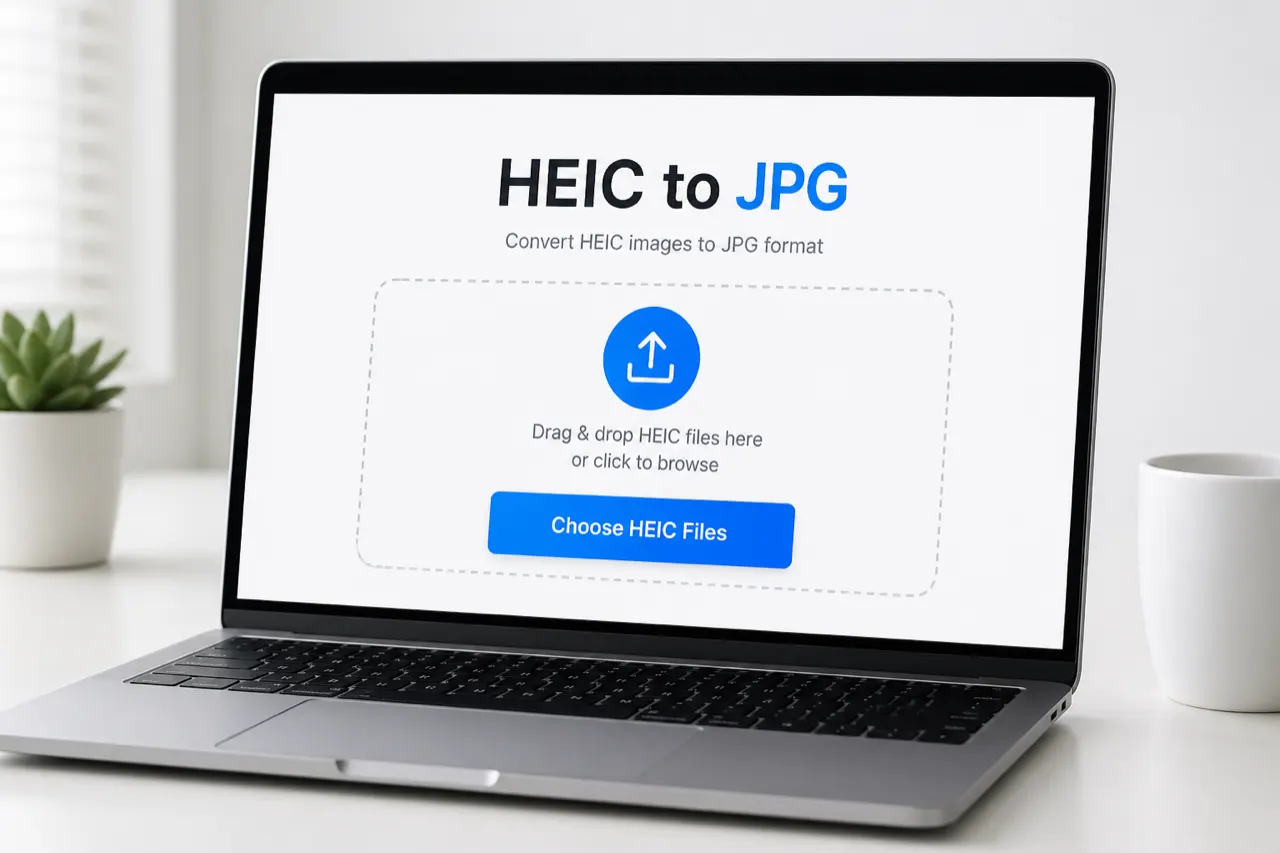
Convert iPhone HEIC photos to high-quality JPG files right in your browser. Your photos never leave your device—no uploads, no account, no ads.
Drop HEIC or HEIF photos here
Select one or multiple HEIC/HEIF files · Auto-converts locally · No uploads
Advanced options
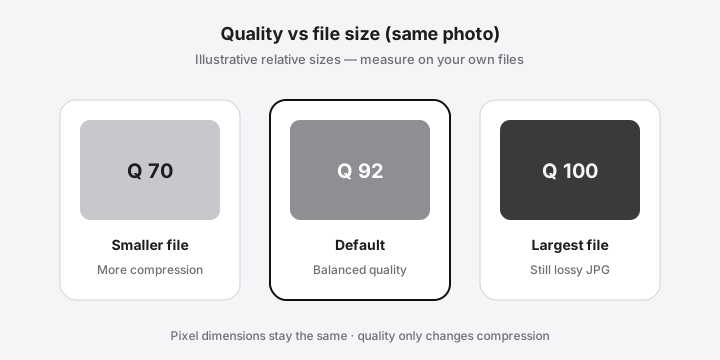
Higher quality = larger files. Default 92 keeps original pixel dimensions (lossy JPG, not mathematical lossless).
Your photos stay on this device.
0 of 0 converted
How to
How to Convert HEIC to JPG Online
A free HEIC to JPG workflow should take seconds of your attention—not a signup funnel. Use the converter above as a browser-based free online path: choose files, convert locally, then download. No account is required to start.
Step 1
Choose HEIC photos
Tap Choose HEIC Files and select one or several .heic or .heif photos. Batch selection is supported.
Step 2
Let the browser convert locally
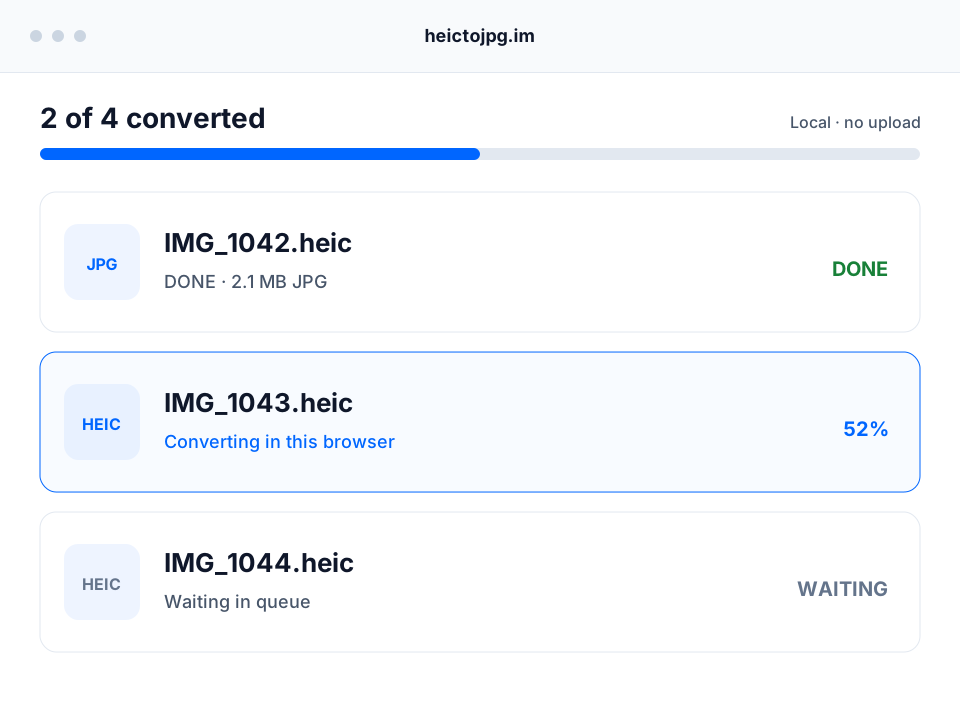
Conversion starts automatically. The queue shows how many files are ready while your photos remain on this device.
Step 3
Download JPG files or one ZIP
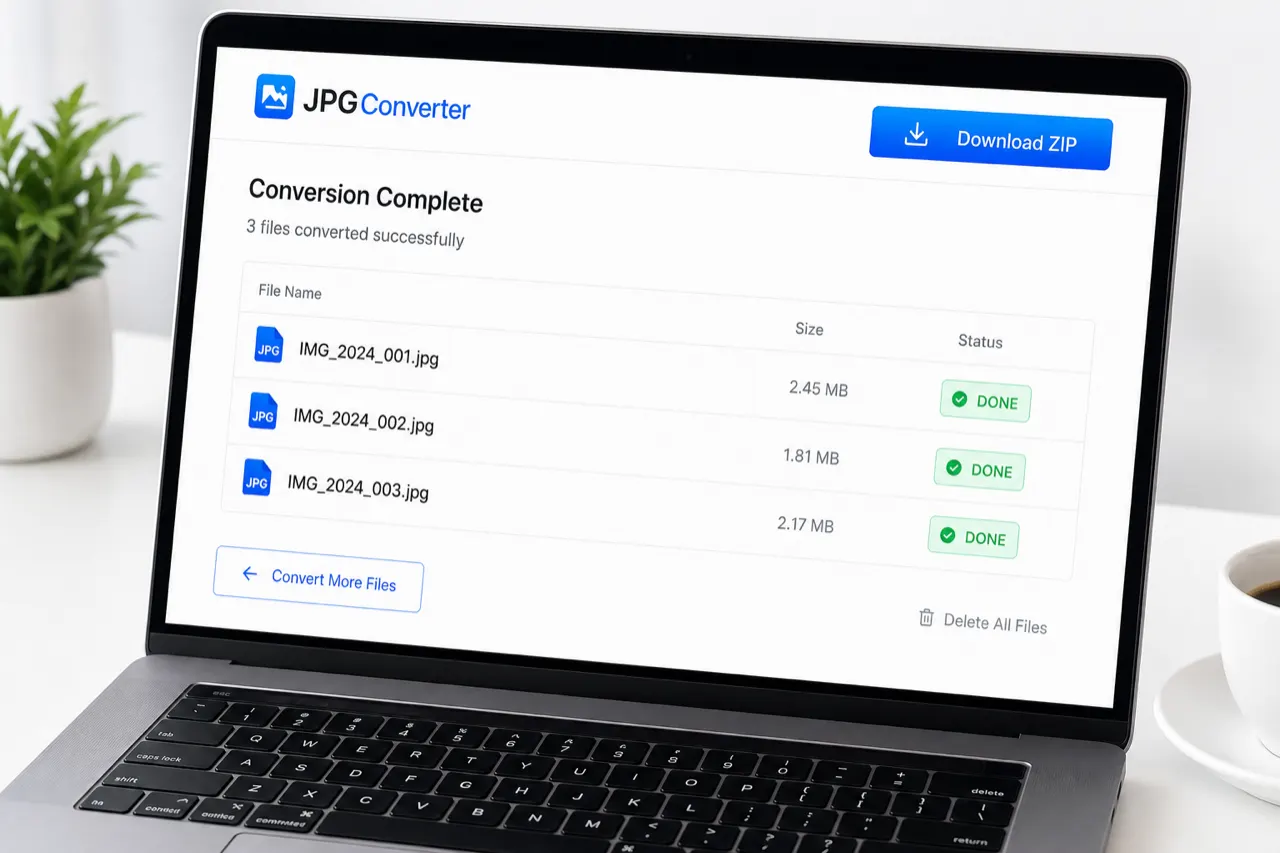
Download any finished JPG separately, or use Download all as ZIP when you want the complete batch.
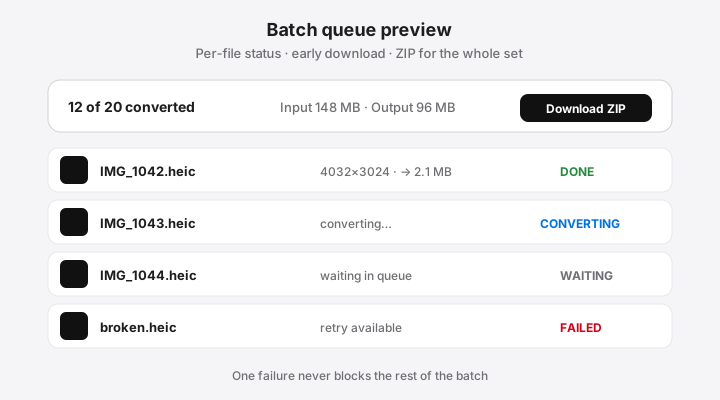
That is the full online path here: no multi-step “upload → wait → paywall” wizard and no premium batch gate. If a file fails, the rest of the queue keeps going so one bad HEIC does not block the job.
Why this page
Why people need this conversion
iPhones often save photos as HEIC. That format is efficient, but many Windows PCs, school portals, printers, email clients, and older apps still expect JPG. Searching for a converter free online usually means one job: open or share the photo without installing codecs or creating yet another cloud account.
iPhone photos, Windows-ready
HEIC is efficient on iPhone. JPG is what printers, portals, and older apps still expect. This page does that one job.
No upload converter
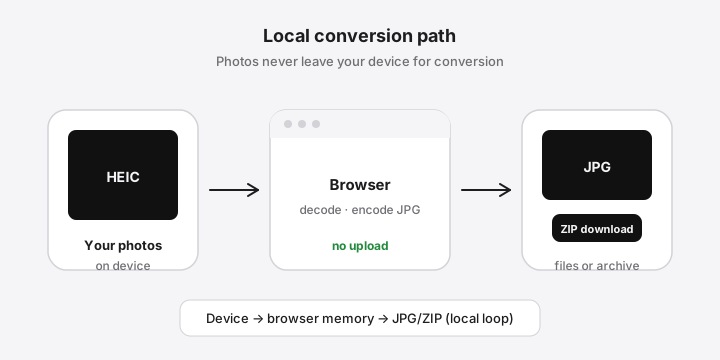
Decode and encode stay in this tab. Photo bytes are not posted to a conversion API.
Batch without a paywall
Select many HEIC files, watch each status, download early, or pack a ZIP. No paid file-count wall.
Quality you can set
Pixel size stays the same. Default JPG quality is 92. Raise it for print, lower it for email.
Privacy
Private conversion — no uploads
Many online converters ask you to upload iPhone photos to a remote server. This HEIC to JPG converter is designed so decoding and encoding happen in the browser. Your photo bytes are not sent to our servers for conversion.
Conversion
In this browser tab
Upload
None for conversion
Account
Not required
Output
JPG files or one ZIP
Quality default
92, pixel size kept
EXIF promise
Not verified field-by-field
Privacy still has honest boundaries: the page assets load over HTTPS, hosting providers may log standard request metadata, and a shared computer still holds images in browser memory until you clear the queue. Read the full details in our Privacy Policy and operator identity on About.
What stays local: HEIC decode, JPG encode, previews, and ZIP packaging of finished files.
What we do not do: sell photo storage, force login, or claim “military-grade” marketing that hides the real browser model.
What you should still do: keep original HEIC files until you verify the JPG output you need.
Batch
Batch Convert Multiple HEIC Files at Once
Search demand for “batch convert heic to jpg” and bulk jobs is real: vacation dumps, real-estate folders, classroom hand-ins. Select many HEIC photos in one go. The queue shows waiting, converting, done, and failed so a single bad file never blocks the rest. Finished JPGs can download immediately; when several are ready, use Download all as ZIP.
There is no arbitrary paid file-count limit. Capacity still depends on device memory—especially on phones. The batch guide covers naming, memory tips, and large folders.
People also search for conversion “without losing quality” or “high quality” exports. JPG is a lossy format, so mathematical “100% lossless JPG” claims are misleading. What this tool does: keep original pixel dimensions and let you set quality from 60 to 100 (default 92) under Advanced options.
Default
Quality 92
Range
60 to 100
Pixels
Original size kept
Archive
Keep the HEIC master
Metadata
Keep Photo Dates and Control EXIF Metadata
Queries like “heic to jpg keep exif” matter for timelines and documentation. Honest product answer: browser canvas conversion often strips or rewrites metadata. We do not advertise full EXIF preservation until field-level tests pass. If capture date or camera model is critical, keep the original HEIC and verify any JPG with an EXIF viewer before deleting sources.
Compare
HEIC vs JPG: Quality, Size and Compatibility
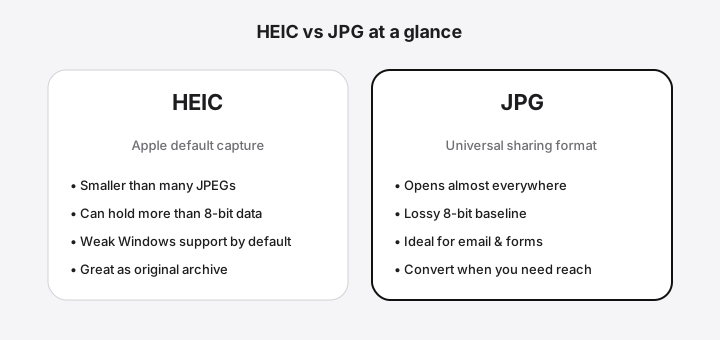
HEIC often stores iPhone photos more efficiently; JPG wins on universal compatibility—Windows PCs, older apps, printers, and web forms. Convert HEIC to JPG when the recipient cannot open HEIC; keep HEIC when you still control the archive.
On Windows 10/11, this browser path avoids installing Store codecs just to share a JPEG. On iPhone and Mac, system apps can export JPG too; use the web converter when you want multi-file ZIP without extra apps.
Windows 10 / 11
Skip Store codecs when you only need to share a JPEG. Chrome or Edge is enough.
iPhone
Use the web tool when you want a batch ZIP. iOS share/export still works for one photo.
Mac
Preview can export JPG. This page is faster when you already have a folder of HEIC files.
Android & Chromebook
Works when the browser can decode that HEIC variant. Unusual HDR files may still fail.
Why this page exists: to complete a real user task—share or open iPhone photos as JPG—with fewer steps and fewer false claims than upload-first converters.
FAQ
HEIC to JPG Frequently Asked Questions
Is this HEIC to JPG converter free?
Yes. You can convert free online with no account and no paid batch wall. Capacity still depends on your device memory—there is no arbitrary site quota, but phones and laptops have real limits.
Can I batch convert multiple HEIC files at once?
Yes. Select multiple HEIC or HEIF files, watch per-file progress, download finished photos immediately, and grab the rest as one ZIP when the queue finishes.
Are my HEIC photos uploaded to a server?
No. Conversion runs in your browser so photo bytes are not uploaded to our servers for conversion. That is the privacy model behind this tool.
Is this HEIC to JPG website safe?
Yes for typical private conversion needs: processing stays local, HTTPS serves the page, and we do not ask you to create an account. Always keep originals until you verify outputs.
Does converting HEIC to JPG reduce image quality?
JPG is a lossy format, so some compression is expected. This tool keeps original pixel dimensions and defaults to quality 92; raise quality for larger, sharper files or lower it for smaller attachments.
Can I convert HEIC to JPG without losing quality?
You can convert at high quality and full resolution, but “without losing quality” is not mathematical lossless for JPG. If you need a perfect archive, keep the original HEIC as well.
Does HEIC to JPG keep EXIF metadata and the original date?
Not yet as a verified field-by-field promise. Browser canvas conversion often strips or rewrites metadata, so we do not claim full EXIF preservation until tests pass. Rely on file names and originals for critical dates.
Can I convert HEIC on Windows 11 without installing software?
Yes. Use this browser converter on Windows 11 without installing HEIF/HEVC codecs for the conversion task itself. See our Windows guide for native alternatives.
Can I convert HEIC to JPG on an iPhone?
Yes in a mobile browser that can load the tool and decode your files. For everyday sharing, iOS also offers native share/export options; use the web tool when you want batch ZIP output.
Does the converter work on Mac, Android and Chromebook?
Yes where the browser can run modern JavaScript and decode the HEIC variant. Chrome, Edge, Firefox, and Safari are the primary targets; unusual HDR containers may still fail.
What is the difference between HEIC and JPG?
HEIC is a modern container often used by iPhones with efficient compression; JPG is an older, nearly universal lossy format. Convert when recipients or apps cannot open HEIC. See the full comparison page.
Why can’t I open HEIC files on Windows?
Windows does not always include HEIC codecs by default, so Explorer and apps may show blanks or errors. Browser conversion to JPG is a zero-install workaround for sharing and printing.
Ready
Convert Your HEIC Photos Now
Use the free, private HEIC to JPG converter at the top of this page—no upload required for conversion.