Convert HEIC to PNG free in your browser. Batch iPhone photos, download every PNG separately or as one ZIP, and keep the originals on your device.
Local processingBatch conversionNo accountPNG output
HEIC to PNG On-device converter
Ready
Choose HEIC photos
Drop them here, or browse your device.
HEIC and HEIF · Multiple files supported
PNG outputLossless encoding · Original dimensions
PrivateFiles stay on this device
0 of 0 converted
Key features
Private conversion without the usual trade-offs
This HEIC to PNG converter is designed around the actual job: open incompatible iPhone photos, create dependable PNG copies, and leave with the files—without a signup funnel.
Photos stay local
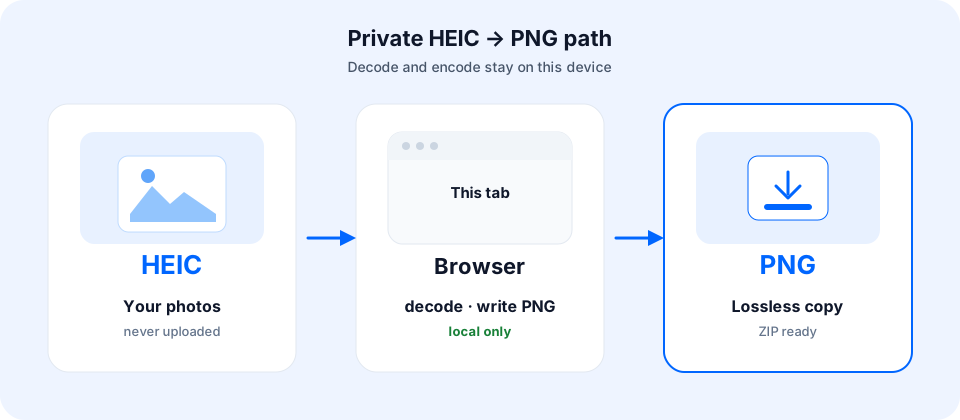
HEIC decoding and PNG encoding run in your browser. The converter does not need to upload your photo bytes to a conversion server.
Batch without a paywall
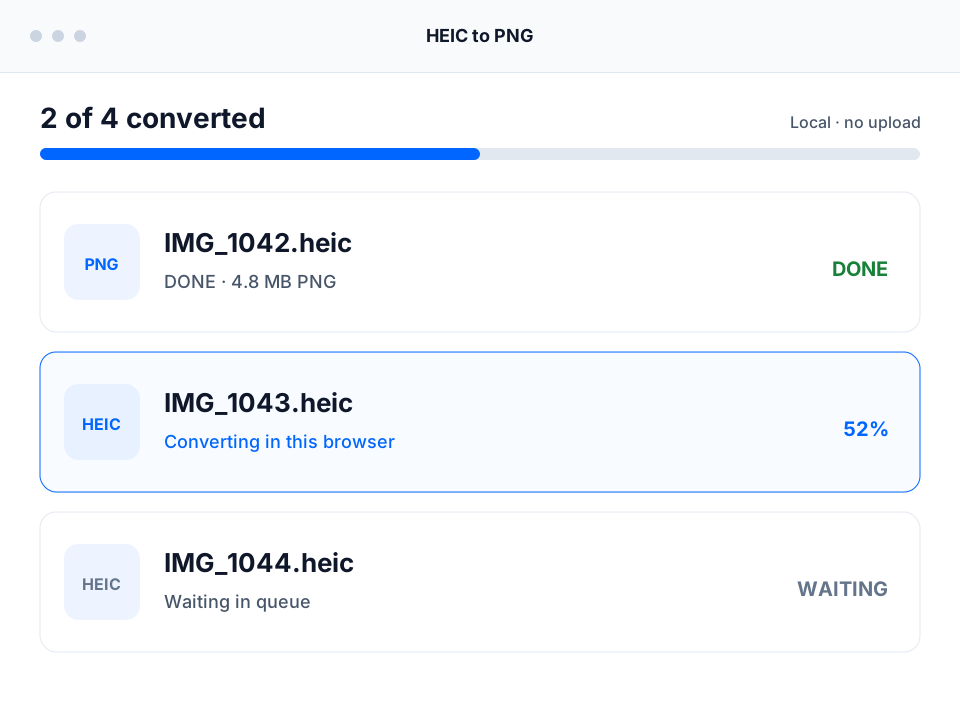
Select one HEIC file or a whole group. Every item has its own status, retry action, PNG download, and a shared ZIP option.
Real PNG output
Finished files use PNG encoding and a .png extension—not a renamed JPG. Original pixel dimensions are retained when decoding succeeds.
Honest conversion limits
PNG encoding is lossless, but HDR mapping, metadata, transparency, and multi-frame HEIC behavior still depend on the source and browser decoder.
What is it?
What is HEIC to PNG conversion?
HEIC to PNG conversion decodes an image stored in Apple’s HEIC or HEIF container and writes the visible still image as a Portable Network Graphics file. PNG uses lossless compression after decoding, opens in mainstream browsers and editors, and avoids the JPEG compression step.
That does not make PNG a perfect clone of every HEIC feature. An iPhone HEIC can include HDR information, metadata, depth data, or additional frames. This tool creates a practical still-image PNG copy and exports the first decoded frame; it does not rebuild Live Photo motion or promise complete EXIF preservation.
Format guide
Choose PNG when
An editor or portal requires PNG, you want a lossless-encoded working copy, or you need crisp pixels for annotations and graphics.
Choose JPG when
You need smaller photo files for email, forms, sharing, printing, or broad compatibility with tight upload limits.
The whole HEIC to PNG workflow stays on one page. There is no separate upload screen, processing dashboard, or account handoff.
Step 1
Select HEIC photos
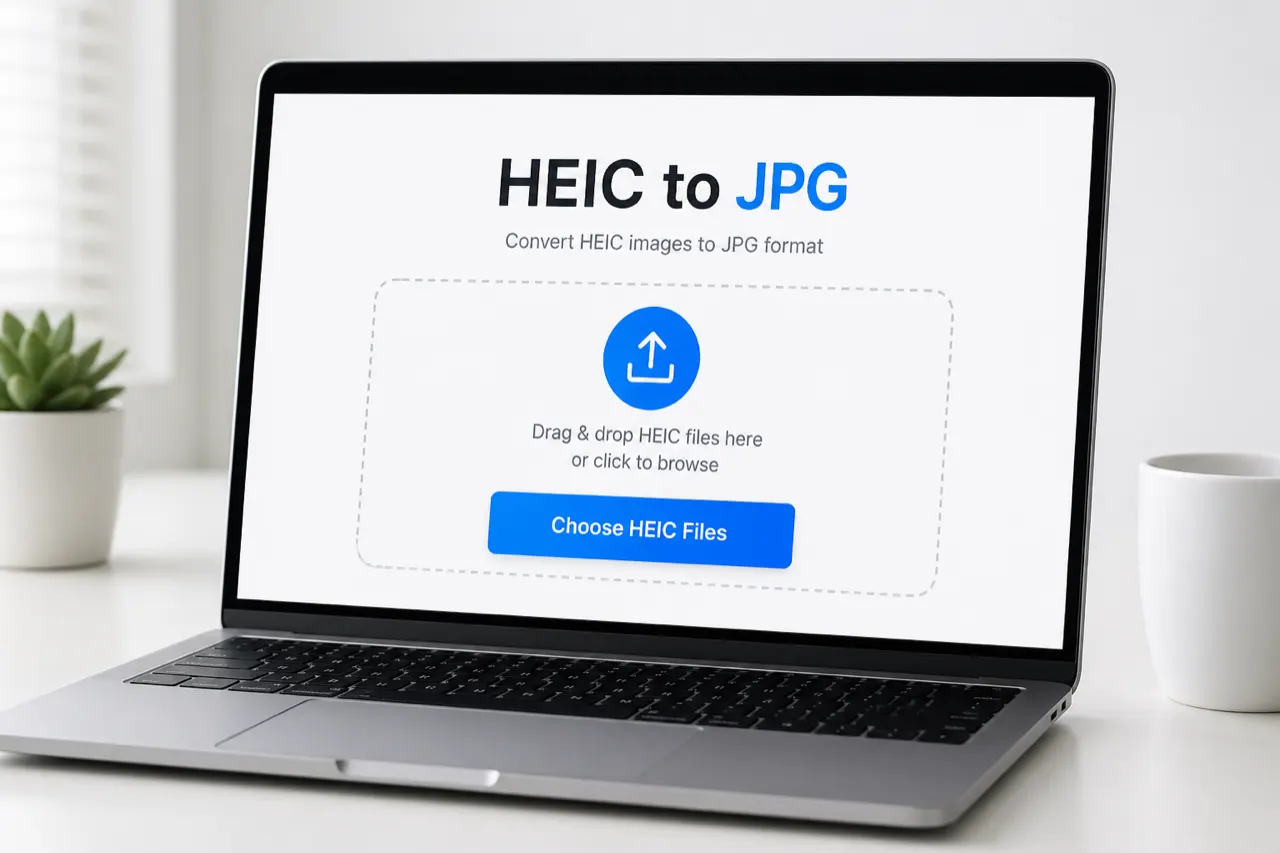
Choose one or multiple .heic or .heif files, or drop the group into the converter. Conversion starts automatically.
Step 2
Convert locally
The browser decodes each source and writes a PNG on this device. Per-file progress lets successful photos finish even if another item fails.
Step 3
Download PNG or ZIP
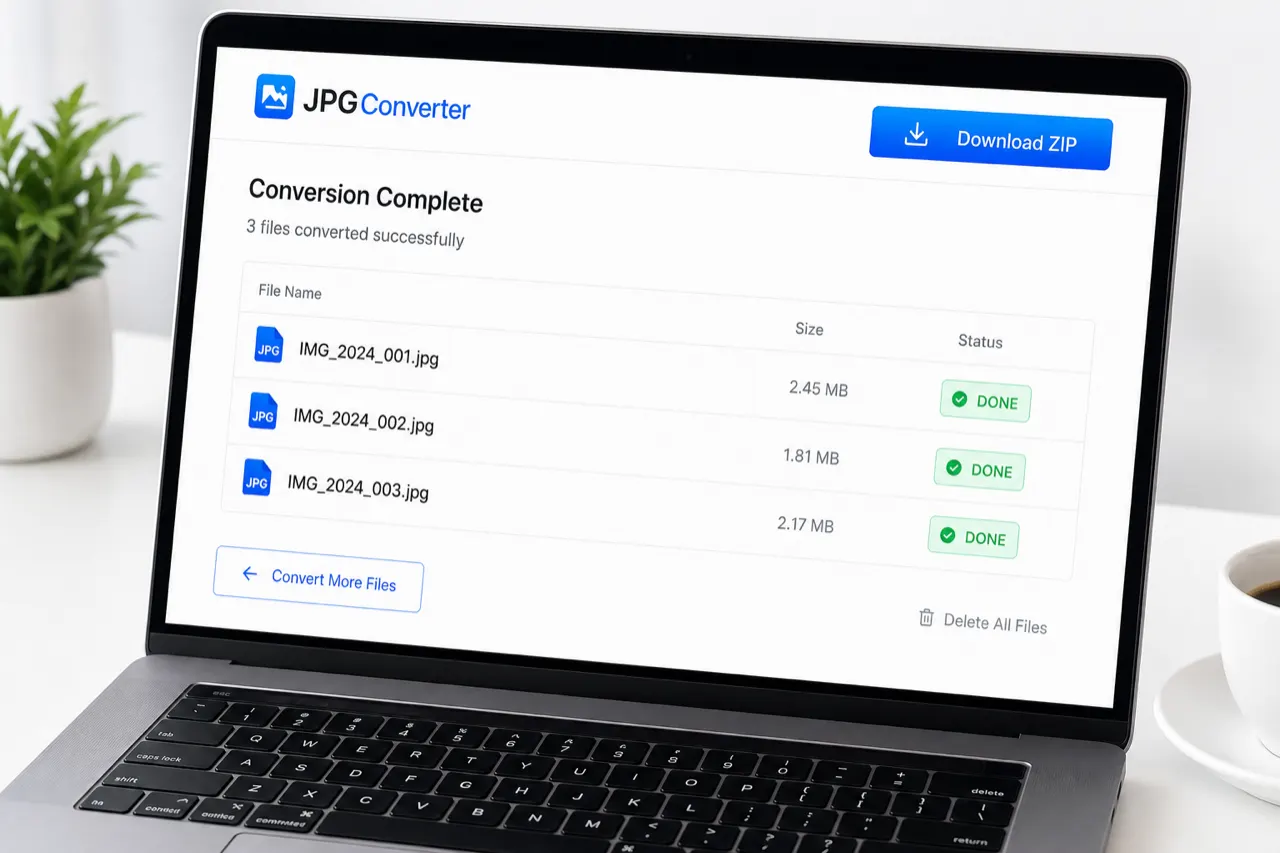
Download any completed PNG immediately. For a batch, use Download all as ZIP to package the finished PNG files locally.
Why choose it
Why choose this HEIC to PNG converter?
It is intentionally narrower than a general editor: fewer decisions before conversion, clearer privacy boundaries, and output you can download immediately.
No signup detour
Open the page, choose files, and download. There is no email gate or account step between the photo and its PNG output.
Better failure isolation
One damaged or unusual HEIC does not block the rest of the queue. Completed PNG files remain available while failed items can retry.
Clear output choices
Use this page when you specifically need PNG. Use HEIC to JPG when smaller, broadly compatible photo files matter more.
Private by architecture
The conversion path uses browser memory and local object URLs. Standard page requests still reach the host, but photo bodies do not power a conversion API.
Pro tips
Pro tips for clean PNG output
The best setting for PNG is often a workflow decision, not a quality slider. Use the destination and the importance of source data to choose the right output.
Common limitation A PNG can be larger than the HEIC source and still be correct. Lossless compression does not mean a smaller file, and conversion cannot recreate metadata or HDR information that the browser decoder does not expose.
Expect larger files
PNG uses lossless compression and is often much larger than HEIC or JPG for camera photos. That is normal, not a failed conversion.
Keep the HEIC master
PNG is a useful compatibility or editing copy. Keep the original HEIC when capture metadata, HDR information, or Apple-specific features matter.
Use smaller batches on phones
Large iPhone photos expand substantially in memory while decoding. If a mobile tab slows down, retry with fewer files or use a desktop browser.
Verify metadata before deleting anything
This converter does not promise field-by-field EXIF, GPS, or capture-date preservation. Check critical output with a metadata viewer.
Choose JPG for ordinary sharing
If an email form only needs a common photo and has a small size limit, JPG is usually the more practical result. PNG fits editing, diagrams, and lossless re-encoding.
Use cases / recommended settings
Recommended settings for real-world jobs
PNG has no lossy quality slider here. The useful choice is when to use PNG, how many files to process, and which originals to keep.
Windows compatibility
Open iPhone photos without codec hunting
PNG output · Single files or small batches
Convert HEIC to PNG on Windows 11 when an app accepts PNG but cannot open Apple HEIC files. No Store codec is required for this browser workflow.
Editing handoff
Create a lossless-encoded working copy
PNG output · Keep HEIC original
Use PNG before adding annotations, compositing, or moving the image into software with unreliable HEIC support. Verify color and transparency before production work.
Batch delivery
Package a folder as one ZIP
Multi-select · Download all as ZIP
For classroom, client, or archive handoffs, convert several HEIC files together and download the completed PNG set as one local ZIP archive.
Website upload
Check the destination size limit first
PNG for graphics · JPG for smaller photos
PNG is useful when the receiving system requires it, but photo-heavy PNG files can be large. Choose the HEIC to JPG converter when bandwidth and upload limits matter more.
Archive derivative
Keep a widely readable companion file
PNG copy · HEIC remains the master
A PNG can be easier to open across software, but it is not a replacement for every HEIC feature. Store both when long-term fidelity matters.
FAQ
HEIC to PNG converter FAQ
Direct answers about free batch conversion, Windows, quality, privacy, metadata, transparency, and unusual HEIC files.
Is this HEIC to PNG converter free and unlimited?
Yes. The HEIC to PNG converter is free, needs no account, and has no paid daily conversion quota. Real capacity still depends on browser memory and device performance, and each source file has a 250 MB hard safety ceiling.
How do I convert HEIC to PNG on Windows 11?
Open this page in a modern browser, choose or drop your HEIC files, and download each completed PNG or one ZIP. The browser conversion path does not require the Microsoft HEIF extension just to create PNG files.
Does converting HEIC to PNG reduce quality?
PNG encoding is lossless, so it does not add JPEG-style compression artifacts after the image is decoded. That does not guarantee perfect end-to-end HEIC fidelity: HDR tone mapping, color handling, metadata, and extra frames can still change during decoding.
Can I batch convert multiple HEIC files to PNG?
Yes. Select multiple HEIC or HEIF files in one picker action, follow each item in the queue, download individual PNG files, or package all completed results into one ZIP.
Are my HEIC photos uploaded to a server?
No photo upload is required for conversion. HEIC decoding, PNG creation, previews, and ZIP packaging happen in the browser; normal HTTPS page requests and hosting logs still exist, as explained in the Privacy Policy.
Can I convert HEIC to PNG on iPhone, Mac, Linux, or Chromebook?
Yes when a modern browser on that device can decode the HEIC variant and has enough memory. Large batches are more reliable on a desktop or laptop; Apple Photos or Preview can also export images natively on Apple devices.
Does PNG preserve a transparent background from HEIC?
PNG supports transparency, but this tool does not promise that every HEIC alpha channel will survive the browser decoding path. Most iPhone camera photos are opaque. Verify the resulting PNG before relying on transparency in design work.
Will the PNG keep EXIF, GPS, and the original date?
Not as a verified field-by-field guarantee. Browser-based image conversion commonly strips or rewrites metadata, so keep the HEIC original and inspect the PNG with an EXIF viewer when dates, GPS, or camera details are important.
Is HEIC better than PNG?
HEIC is usually better for compact iPhone photo storage, while PNG is better for broad software compatibility and lossless-encoded editing copies. Neither format wins every job; convert a copy rather than deleting the source.
Does the converter support HEIF files?
Yes. The file picker accepts .heic and .heif extensions plus common HEIC/HEIF MIME types. Unusual encodings can still fail if the browser decoder does not support that particular container.
Is there a file-count or file-size limit?
There is no artificial paid file-count cap. Each input has a 250 MB hard safety ceiling, while the practical batch size depends on image dimensions, available memory, and the browser—especially on phones.
Why did my HEIC file fail to convert?
The file may be damaged, unusually encoded, too memory-heavy, or contain a variant the decoder cannot read. Retry it alone, export another copy from Apple Photos, or use a desktop browser with more available memory.
Should I convert HEIC to PNG or JPG?
Choose PNG for lossless-encoded editing copies, graphics workflows, or systems that explicitly require PNG. Choose JPG for smaller photo files, email, web forms, and the broadest everyday sharing compatibility.
What happens to Live Photos or multi-frame HEIC files?
This converter exports the first decoded still image; it does not recreate Live Photo motion or promise every auxiliary frame. Keep the original HEIC or Live Photo pair when motion, depth, or alternate frames matter.
Ready when you are
Convert your HEIC photos to PNG now
Return to the HEIC to PNG converter, choose one file or a batch, and download real PNG results without sending the photos to a conversion server.